Loading
Security and trust
Your data is safe, and the right people see the right things
CheckIn was built multi-location first, with access roles, audit logs, encryption, and trusted devices baked in. You get serious controls without an enterprise headache.
Trust, built in from day one
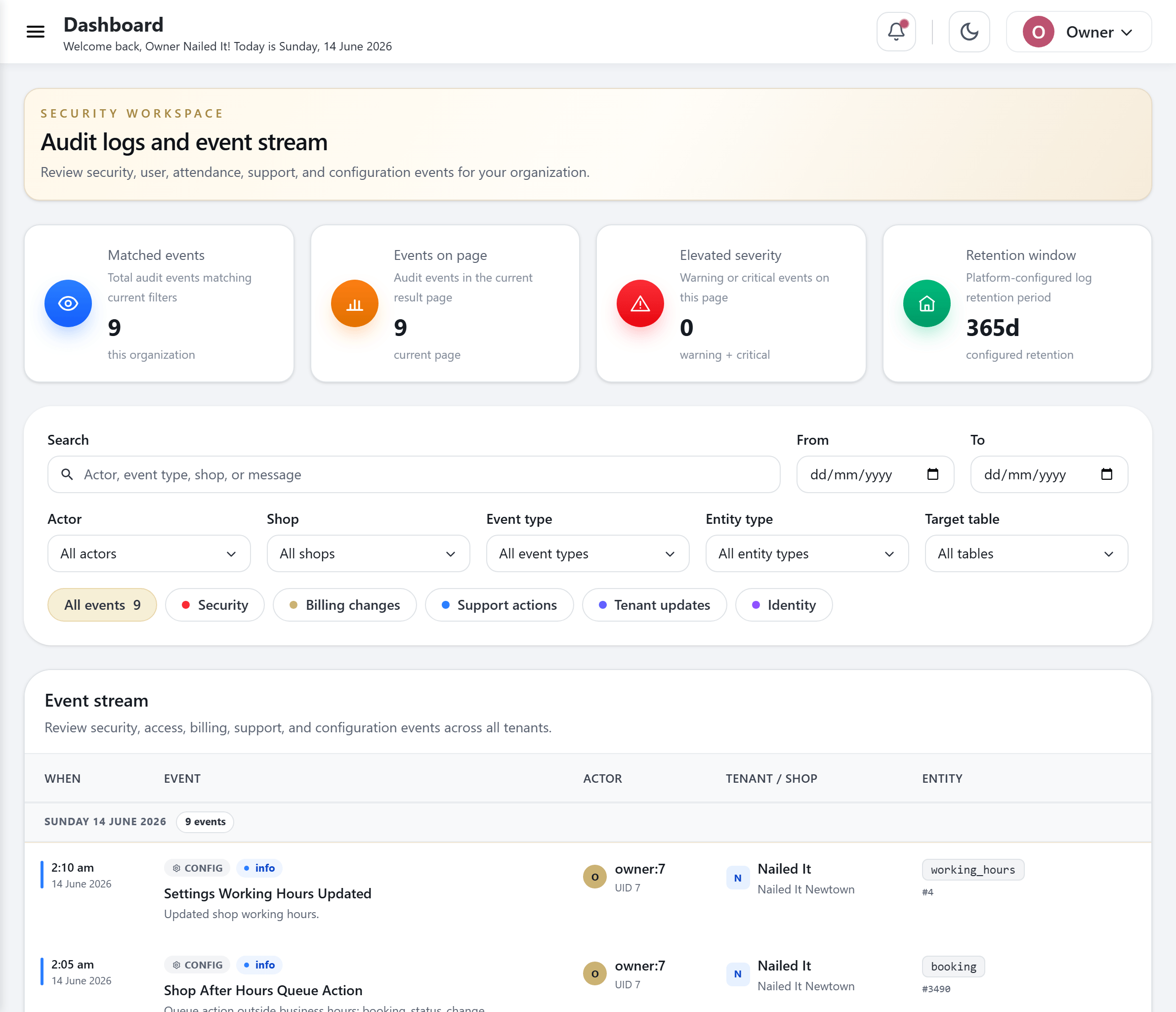
Four things hold true on every screen, in every location: the right access, a full record, encrypted data, and clean separation between shops.
The right people see the right things
Five roles set who can do what: Owner, Manager, Viewer (read-only), Staff, and platform Superadmin. A new front-desk hire never lands on your revenue numbers, and a read-only role can look without touching.
Everything sensitive is written down
An append-only audit trail records who did what and when, across more than 60 tracked event types. Nothing gets quietly edited or erased, and you can export the whole log to CSV or JSON whenever you need it.
Sensitive data is encrypted at rest
Personal details and the provider keys you bring (your own Twilio, SendGrid, and Birdeye credentials) are encrypted in the database, not stored in plain text. Security is built in, not bolted on later.
Each location stays separate
Every shop's data is isolated at the database level, not just hidden behind a screen. One login can run many locations, and one location can never read another location's customers, staff, or numbers.
Five roles, one clear hierarchy
Give each person the reach their job needs, and nothing it does not. Roles map to how a salon actually runs.
Owner
Full reach across every location in the business: settings, staff, promotions, and the org-wide roll-up.
Manager
Runs the day at their location or locations, without the business-wide controls reserved for the owner.
Viewer
Read-only. Perfect for an accountant or a partner who needs to see the numbers but should not change anything.
Staff
Works the floor and clocks in and out. No back-office access they do not need to do their job.
Superadmin
A platform-level support role that lives in a separate system tenant, cleanly walled off from your customer data.
Only trusted devices at the front desk
Decide which iPads and tablets are allowed to run your surfaces, and stay in control as devices come and go.
Pair a kiosk in seconds
Approve a new iPad or tablet with a short enrollment code. No fiddly setup, no shared passwords floating around the salon.
Revoke or rename any device
See every paired device, rename it so you know which counter it sits on, and revoke a lost or retired one with a tap.
Drift recovery built in
If a device falls out of sync, CheckIn recovers the pairing on its own instead of leaving you with a dead screen at the front desk.
Verified identity, no buddy-punching
When a staff member clocks in or out, CheckIn asks for a single-use check tied to that person and valid for only a short window. There is no shared button to tap for a co-worker, so the hours you pay line up with the hours that were actually worked.
Set the access mode that fits each location
A high-volume walk-in shop and a quiet appointment studio do not need the same front door. Choose per location.
Open
Anyone can reach the public surface. Best for a busy walk-in shop where speed at the door matters most.
PIN-gated
A short PIN unlocks the surface, so only your team can open the staff or check-in screen on a shared device.
Device-gated
Only kiosks you have paired and approved can load the surface. Combine it with a PIN for two layers at once.
Mix and match across your business. One shop can stay open at the door while another runs device-gated and PIN-gated together.
Security questions, answered
Who can see my sales and customer data?
Only the roles you grant. Owners see everything across the business, managers run their own locations, and a read-only Viewer role can look at the numbers without changing them. Staff stay on the floor-level screens they need and nothing more.
Is each of my locations kept separate?
Yes. Every location's data is isolated at the database level, not just hidden in the interface. One account can run many shops, and one shop can never read another shop's customers, staff, or revenue.
Can I prove who did what?
An append-only audit trail records actions across more than 60 event types, so entries cannot be quietly altered or deleted. You can query it at the business, location, or platform level and export it to CSV or JSON any time.
How do you stop staff clocking each other in?
Clocking in or out requires a single-use identity check tied to the staff member, valid for only a short window. There is no shared button to tap on someone else's behalf, so the hours you pay match the hours that were worked.
What about Face ID at check-in?
Optional Face ID is coming soon. When it ships, face data is encrypted at rest like the rest of your sensitive data. Today, identity is handled with PINs and short-lived verification tokens.
See CheckIn on your own salon’s flow
Book a 20-minute demo and we’ll show you the queue, kiosk and loyalty running on a setup like yours.